
The OS that makes a device
part of the cloud.
The dedicated OS on every obniz device, running on a microcontroller.
- Cloud link obniz Cloud / TLS 1.2
- Auth per-device public key
- Reconnect auto · offline queue
- OS update OTA · < 1 min (Wi-Fi)
- Power sleep 10 min · wake on timer
- Firmware none — logic runs outside
All of this is the OS’s job. Application developers never implement it.
- In Production
- 2018 since
- Devices
- 40,000+ in the field
- Security
- TLS 1.2 elliptic-curve + per-device key
- OS Update
- < 1 min remote, over Wi-Fi
Firmwareless
The program lives outside the device.
Conventional IoT devices need firmware flashed onto each unit and re-flashed for every update.
Conventional firmware
obnizOS (Firmwareless)
What obnizOS Does
Eight jobs the OS does for you.
Application developers never think about this layer.
01
Cloud link & auto recovery
Power on and it connects to obniz Cloud by itself. On disconnection it keeps reconnecting, and data captured while offline is queued.
02
Authentication & encryption
All traffic is encrypted with TLS 1.2 and elliptic-curve crypto. Each device authenticates with its own public key, preventing impersonation.
03
Remote OS updates
Security fixes and new features ship over the air. Under a minute over Wi-Fi, around ten minutes over LTE, to every device.
04
Power management
Timer sleep (from 1 second) and pin-interrupt wake enable long-term battery or solar operation.
05
Network setup
Configure over USB, Wi-Fi, or a browser — no dedicated app. Register devices with a QR code, or provision in bulk with obniz-cli.
06
I/O abstraction
GPIO, analog, UART, I2C, SPI, BLE and more are exposed as one unified API, so cloud-side code can simply call io0.output(true).
07
Lua plugin (optional)
When you need a little logic on the device, live-update Lua without rebooting — for autonomous control while offline or millisecond responses.
08
Self-hosting (optional)
Connect to your own server instead of obniz Cloud. With obniz-dock you keep the same developer experience as the app-sdk.
Security
Microcontroller-based:
robust and lightweight.
obnizOS runs directly on a microcontroller, not on Linux. Kernel vulnerabilities and viruses do not apply, and there is no cooling fan or bulk storage. Even on an MCU costing a few hundred yen, browser-grade encryption and per-device authentication come standard.
Even without a security team, you never have to implement device-side authentication, encryption, or update delivery yourself.
TLS 1.2 + elliptic-curve
Browser-grade transport encryption on every device, by default.
Per-device public-key auth
Each unit holds its own key; the cloud verifies its identity.
Microcontroller-based
No Linux kernel, so kernel vulnerabilities and common malware do not apply.
Token-scoped permissions
obniz Cloud limits what each API key / access token may do.
Remote updates
Vulnerability fixes ship as obnizOS updates. No site visits.
ISO 27001
obniz holds ISMS certification covering the whole service, cloud included.
# Connect over USB; configure Wi-Fi and register with obniz Cloud in one go
$ obniz-cli os:config --ssid "factory-ap" --password "********"
✓ wrote network config
✓ device 8719-6211 connected to obniz Cloud

# Update the OS (over Wi-Fi, under a minute)
$ obniz-cli os:update 8719-6211
✓ obnizOS 3.x → latest
Setup & Operations
Setup anyone on site can do.
No dedicated app. Configure the network over USB, Wi-Fi, or a browser, and register devices with a QR code. It works even when store staff at the customer site do the installation.
- Network setup over USB / Wi-Fi / browser
- QR-code registration and ownership transfer
- Bulk provisioning with obniz-cli
- Remote OS updates and health monitoring from obniz Cloud
Hardware
obnizOS devices
Whichever you choose, the OS, cloud, and application layers are the same.
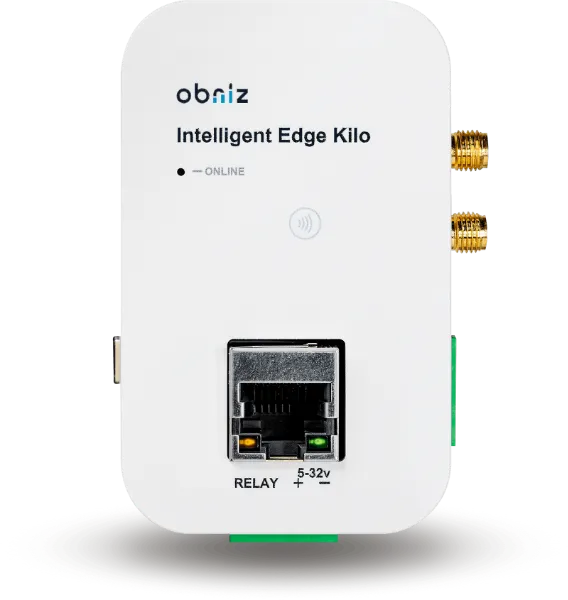
Intelligent Edge Kilo
Gateway for PLCs and industrial equipment. RS232/485/CAN/Ethernet/relay.
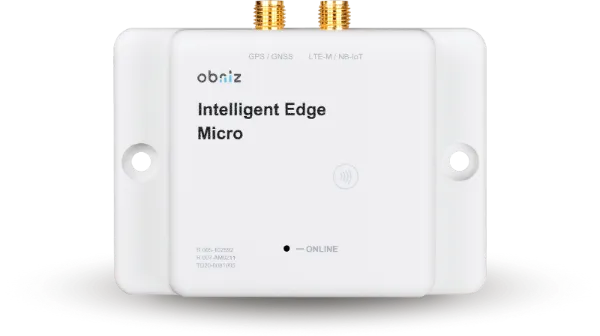
Intelligent Edge Micro
Compact module for embedding and outdoor use. Wi-Fi/LTE-M/BLE5.
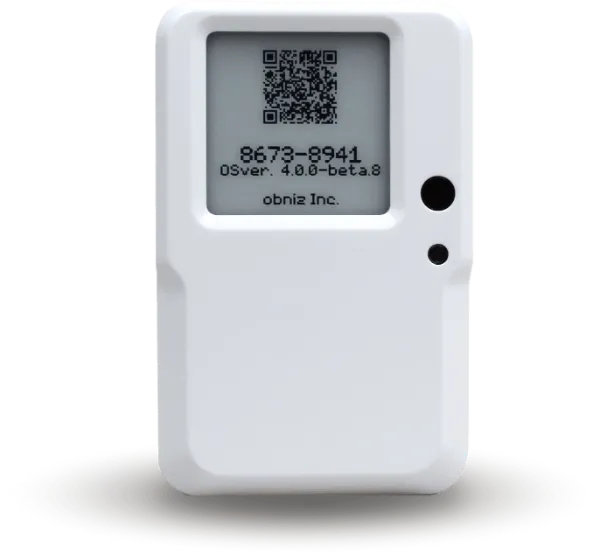
BLE/Wi-Fi Gateway
Plug it into an outlet and nearby BLE devices go to the cloud.
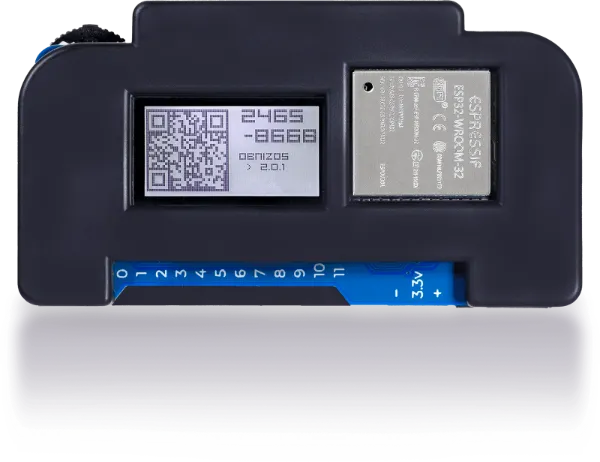
obniz Board 1Y
Prototyping board you drive with JavaScript and AI.
Lua Plugin
A little intelligence on the device.
Logic normally lives in the cloud, but autonomous control during outages or millisecond responses can be placed on the device in Lua. It live-updates without a reboot, so you extend without giving up the Firmwareless benefits.
Lua Plugin documentation ↗Self-hosting
Same device, same code — even in closed networks.
obnizOS can connect to your own server instead of obniz Cloud. With obniz-dock you keep the app-sdk developer experience while running inside hospitals, power plants, and factories with no internet.
obniz-dock (GitHub) ↗FAQ
Frequently asked questions
Q. What does obnizOS run on?
Q. Do users modify the OS or flash programs onto it?
Q. What happens when the internet drops?
Q. How are OS updates delivered?
Q. Can it connect to a server other than obniz Cloud?
Q. Can I run obnizOS on my own hardware?
Zero device development.
Part of the cloud from today.
Get an obnizOS device and operate it from obniz Cloud, MCP, and APIs without writing firmware. Ask us about putting obnizOS on your own hardware too.