
The code you write
moves the real world
JavaScript and AI bring LEDs, motors, and sensors to life.
No soldering, no C++, no drivers. Open a browser, write code (or have AI write it for you), and the physical world responds.
const obniz = new Obniz("OBNIZ_ID", {
  access_token: "token_xxx"
});

obniz.onconnect = async () => {
  // turn on the LED
  obniz.io0.output(true);
};
With your access_token set, the LED on the real board lights up.
Why obniz Board
Putting an end to "hardware is hard."
For everyone who hit a wall with Arduino, got worn out by Raspberry Pi setup, or has never touched hardware at all. obniz is built to be radically simple from the ground up.
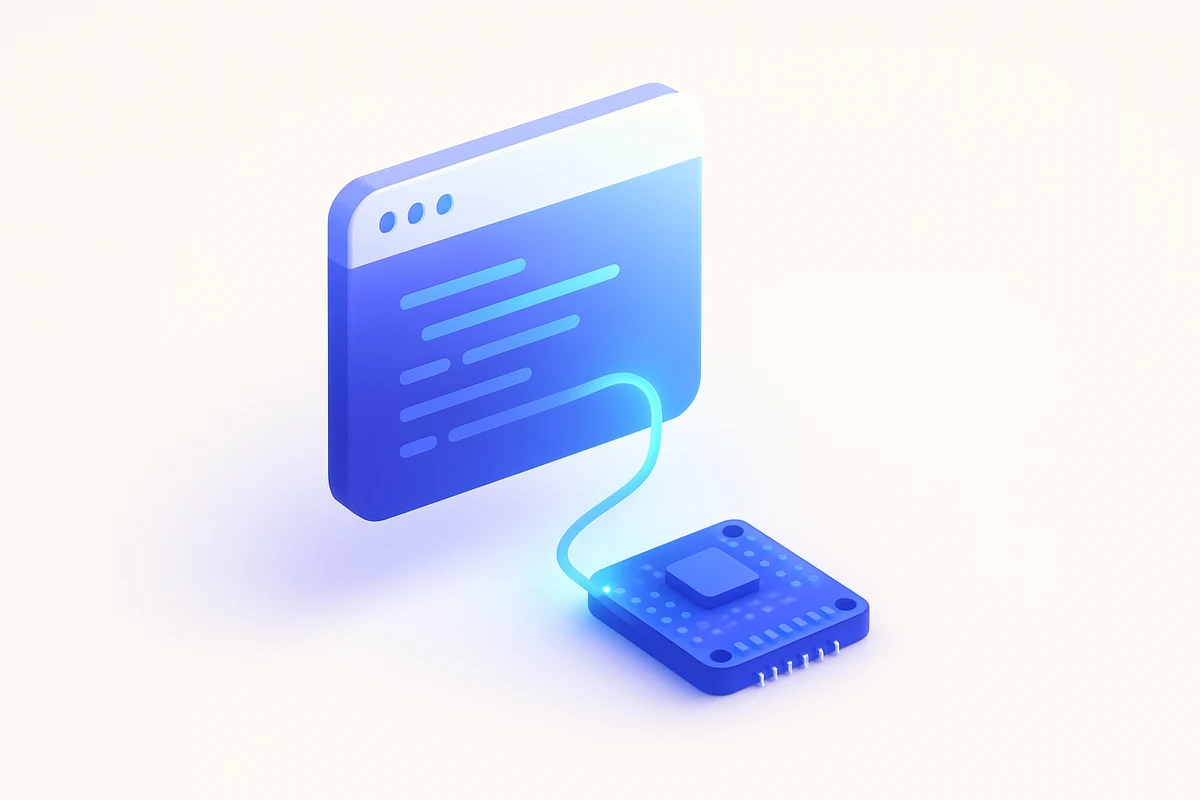
Code anywhere, even from a tablet
No drivers, no IDE. Just write HTML or JavaScript and it runs.

Pure JavaScript
Everything you know from Node.js and the browser still works. async/await, fetch, Express — business as usual.
Built for the AI era
Plenty of JS code and official docs in the training data. Ask Claude or ChatGPT to write it — and it just runs.
Hardware Specs
12 I/O pins,
all "capable."
Every one of the 12 pins ships with a built-in DC motor driver — up to 1 A on every I/O. Sensors, LEDs, motors: plug them in anywhere and they work.
all with built-in motor drivers
Plug a DC motor in directly and you get forward, reverse, and PWM speed control. Most boards need a separate H-bridge IC and extra wiring — obniz has it built in on the board itself.
They also work as standard I/O, with PWM, AD, I2C, SPI, and UART available per pin. You can even toggle 5 V / 3.3 V output from software.
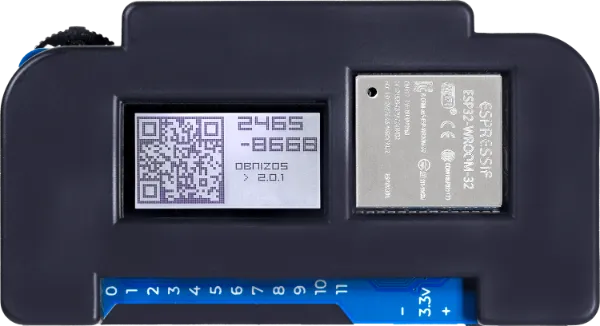
Built-in Wi-Fi
2.4 GHz
USB
Power
Display
Text & images
Push switch
For input
Sleep mode
Low power
Safety
Over-current & thermal
Hello, Hardware
3 lines for an LED, 5 for temperature
Pull in a part with obniz.wired("PartName"). It feels like requiring an npm package — sensors and motors come up in a single line.
const servo = obniz.wired("ServoMotor", {
  gnd: 0, vcc: 1, signal: 2
});

await servo.angle(90);const sensor = obniz.wired("SHT31", {
sda: 0, scl: 1, vcc: 2, gnd: 3
});
const temp = await sensor.getTempWait();
console.log(temp + "°C");<script src="https://unpkg.com/obniz"></script>
<button id="on">Turn on</button>
<script>
const obniz = new Obniz("OBNIZ_ID");
obniz.onconnect = async () => {
on.onclick = () => obniz.io0.output(true);
};
</script>import Obniz from "obniz";
import { Client } from "pg";
const obniz = new Obniz("OBNIZ_ID");
const db = new Client(); await db.connect();
obniz.onconnect = async () => {
const t = await obniz.wired("SHT31").getTempWait();
await db.query("INSERT INTO temps(v) VALUES($1)", [t]);
obniz.sleepMinute(1); // sleep 1 min, wake, reconnect, run onconnect again
};
AI
touches obniz directly
Through the MCP server, Claude and Cursor can directly operate obniz sensors, LEDs, and motors.
Just say "read the temperature" or "spin the motor." The AI doesn't write code — it calls the tools itself and acts on the physical world. Of course, the classic flow of having AI generate code still works.
AI takes direct action
Drive obniz from Claude Code or Cursor in natural language. Iterate without writing a line of code.
Decides in real time
The AI reads the sensor and immediately picks the next action — a reasoning loop into the physical world.
Prototype at warp speed
No code required to make things move. A weekend project finishes before lunch.
Read the room temperature, and if it's over 25°C light the red LED.
It's 27.3°C — above the 25°C threshold, so I turned on the red LED.
* The MCP server is currently in active development as a Developer Preview.
What You Can Build
Build something real over a weekend
Bridging web APIs and the physical world — examples that feel like 2026, AI integration included.
Slack-notifying doorbell
A button at the door pings a Slack channel. A 10-line starter project.
Temperature alerts to LINE
Send a LINE message when the fridge crosses a threshold. A practical tool you can build in five minutes.
AI-powered sorter
Classify what the camera sees with Gemini and physically sort it with a servo. A great AI integration exercise.
Weather-driven RGB LED
Pull the forecast and paint the LED across the rainbow. A gentle introduction to API integration.
Voice-controlled motor
Wave a flag or open a door with browser speech recognition. Browser APIs meet the physical world.
LLM that reads your sensors
When motion is detected, hand the readings to Claude and display its contextual reply on the LEDs.
Get Started
Your first code runs in 10 minutes
Connect to Wi-Fi
Power on and configure Wi-Fi. USB also works. No driver installation needed.
Plug in your parts
Drop LEDs, motors, or sensors straight into the 12 I/O slots. No soldering required.
Write code (or ask AI)
Open obniz.com in your browser and write JavaScript — or have Claude or ChatGPT write it for you.
Products
The fastest path is the
Starter Kit
Buying just the board doesn't get you far without LEDs and resistors. The Starter Kit bundles 8 essential parts for ¥9,970.
Where to Buy
Where to buy
Beyond the official store, obniz Board is also available from major online retailers and electronics shops.
Official obniz Store
OfficialDirect from us. Starter Kits, additional parts, and support options.
OpenAmazon.co.jp
PrimePrime delivery. Start tinkering the day it arrives.
OpenSwitch Science
RetailerA specialty online retailer for electronics and Maker products, with a physical store in Akihabara.
OpenAkizuki Denshi
RetailerA long-established electronics parts shop. Buy alongside a wide selection of components.
OpenMarutsu Online
RetailerA national electronics distributor with 13 storefronts. Business accounts welcome.
OpenSengoku Denshi
RetailerA well-known electronics parts shop with a flagship store in Akihabara.
OpenEnterprise & education resellers
EnterpriseFor invoice billing, bulk orders, or classroom adoption, get in touch with obniz directly.
Get in touch* Availability varies by retailer. Stock and pricing may differ from store to store.
Learn & Reference
You're never stuck alone
English and Japanese docs, a parts library, and sample code on GitHub. Everything you need to paste into an AI prompt is already there.
obniz Docs
API reference and tutorials. Hand the URL to an AI and it picks up the context immediately.
OpenParts Library
The official library that brings 100+ parts up in a single line. SHT31, ServoMotor, WS2812B and more, ready to go.
OpenGitHub
The SDK and every sample is open source. Issues and PRs welcome.
Open
Write your first line
today
It works the day it arrives. Order on Amazon, start building tomorrow.